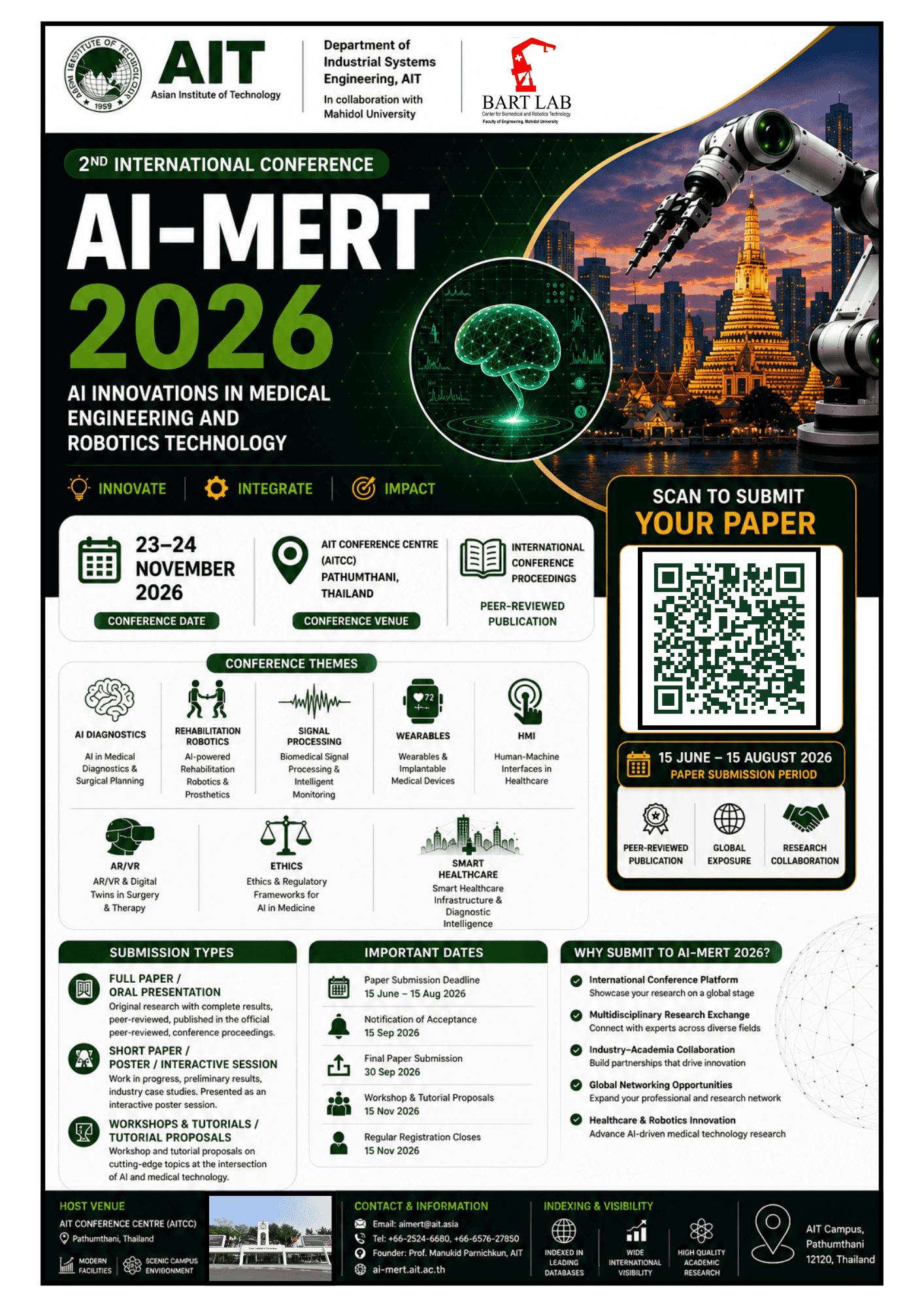
• +66-25246606 +66-657627850
  • aimert@ait.asia
  • AIT Campus, Pathumthani, Thailand

Call for Papers

Manuscript Templates for Conference Proceedings

The purpose of a conference template is to provide a consistent format for papers appearing in the conference proceedings. TAYLOR & FRANCIS (T & F) strongly encourages the use of the conference manuscript templates provided below. T & F conference templates contain guidance text for composing and formatting conference papers. Please ensure that all guidance text is removed from your conference paper before submission to the conference.

Failure to remove template text from your paper may result in your paper not being published.

SECTION 1: TAYLOR & FRANCIS FORMAT GUIDELINES

All manuscripts submitted to Taylor & Francis (T&F) must adhere to the following formatting standards. These guidelines ensure manuscripts are submission-ready and consistent with journal requirements across all T&F publications.

1.1 General Page Layout

Specification

Requirement

Paper Size

A4 (210 × 297 mm) — international standard

Margins

At least 2.5 cm (1 inch) on all sides

Orientation

Portrait (default)

Columns

Single column for peer review submission (two-column typeset by T&F in production)

Page Numbering

Arabic numerals; numbered from page 1

1.2 Typography & Text Formatting

Element

Specification

Body Font

Times New Roman, 12 pt.

Line Spacing

Double-line spacing throughout

Paragraph Alignment

Left-aligned (not justified)

Paragraph Indent

No indent for first paragraph; 0.5-inch indent for subsequent paragraphs after a heading

Bold Usage

Article title — bold with initial capital letters for proper nouns

Italics

Used for third-level headings and titles of works

Special Characters

Insert via Times New Roman symbol set; Asian languages use Arial Unicode font

1.3 Title Page Structure

The title page must contain the following elements in order:

  • Article title — bold, title case, initial capitals for proper nouns
  • Author name(s) — full names, no titles (Dr./Prof./Mr./Ms.)
  • Affiliation(s) — institution, department, city, country
  • Corresponding author details — name, email address
  • ORCID iDs — if available (free registration at orcid.org)
  • Abstract — 150–250 words (see §1.4)
  • Keywords — 4–6 keywords (see §1.5)

1.4 Abstract Requirements

The abstract must be self-contained and not contain references or undefined abbreviations.

Type

Requirement

Standard Abstract

Unstructured; 150–250 words; single paragraph

Structured Abstract

Required by some journals — sections: Background, Methods, Results, Conclusion

Graphical Abstract

Optional; accepted by selected journals

Word Limit

Check individual journal’s Instructions for Authors (IFA)

1.5 Keywords

Unless the specific journal states otherwise, supply 4–6 keywords. Keywords should:

  • Reflect the main topics of the paper
  • Not duplicate words already in the title
  • Be listed below the abstract, separated by semicolons or commas

1.6 Heading Levels

Level

Format

First Level (H1)

CENTERED, ALL CAPS, regular 12 pt. font — paragraph below is not indented

Second Level (H2)

Flush left, title case (Upper and Lower Case), regular font only — paragraph below is not indented

Third Level (H3)

Indented 0.5-inch, title case italics — paragraph below is indented

Fourth Level (H4)

Indented 0.5-inch, sentence case italics (lower case except first word & proper nouns)

1.7 In-Text Citations & References

Taylor & Francis journals support multiple reference styles depending on the journal. Common styles include:

  • APA (Author-Date) — social sciences, education, psychology
  • Chicago (Author-Date or Notes-Bibliography) — humanities
  • NLM/Vancouver (Numbered) — medical and health sciences
  • AMS — mathematics
  • ACS — chemistry

General reference rules:

  • Do not use first or second person in the body text
  • Statistical symbols using English characters are italicized (e.g., p, F, r, n)
  • Do not use a zero before a decimal point in numbers that cannot exceed 1 (e.g., p = .042)
  • Use a zero before a decimal point when the statistic can exceed 1 (e.g., M = 0.45)
  • Slashes in text: place a space before and after (e.g., this / or that)

1.8 Figures & Tables

Element

Requirement

Figure Placement

Figures may appear within text or be submitted separately (check journal IFA)

Figure Captions

Below the figure, numbered consecutively (Figure 1, Figure 2, etc.)

Table Captions

Above the table, numbered consecutively (Table 1, Table 2, etc.)

Image Resolution

Minimum 300 dpi for halftone; 600–1200 dpi for line art

Preferred Formats

TIFF, EPS, or PDF for production; JPEG acceptable for review

Colour Images

Specify if colour is required in print; colour is free online

Numbering

Figures and tables numbered consecutively by chapter/section, where applicable

1.9 Equations & Mathematics

  • Center all equations on the page
  • Number equations consecutively in parentheses at the right margin: (1), (2), etc.
  • Embed fonts within text and figures
  • Review all mathematical symbols to confirm correctness
  • If an equation must wrap, break at a logical point — do not extend into the margin
  • Superscript symbols must appear above the line; subscripts below
  • All parentheses and brackets must be correctly matched

1.10 Supplementary Materials & Data Sharing

From April 2021, all new T&F publications are encouraged to adhere to the T&F Data Sharing Policy. Authors may:

  • Share research data in a public repository and cite it in the references
  • Use a Data Availability Statement in the manuscript
  • Submit supplementary files alongside the main manuscript

1.11 Spelling, Punctuation & Language

  • Choose either UK or US English and apply consistently throughout
  • Abbreviations/acronyms: spell out at first mention unless universally known
  • Trademarked brand names: capitalise if used; prefer generic terms where possible
  • Generative AI: authors may use AI tools but must be transparent and ethically responsible; AI cannot be listed as an author

1.12 Submission Checklist

Authors should confirm the following before submitting:

  • Manuscript follows the target journal’s/ Conference Instructions for Authors (IFA)
  • Title page complete (title, authors, affiliations, ORCID, correspondence)
  • Abstract within word limit; keywords supplied
  • All figures/tables are cited in the text and labelled correctly
  • References formatted in the correct style for the journal
  • Permissions obtained for any third-party material
  • Similarity checks complete (overall < 15%; single source < 5%)
  • Copyright / consent forms completed

SECTION 2: LaTeX TEMPLATES (TAYLOR & FRANCIS)

Taylor & Francis provides official LaTeX templates based on the ‘Interact’ class file. These templates are freely available via Overleaf and the T&F website.

2.1 Overview of the Interact Class File

The T&F ‘Interact’ layout style is implemented as a LaTeX 2ε class file (interact.cls) based on the standard article document class. A BibTeX bibliography style file and sample bibliography are included.

Component

Detail

Class File

interact.cls

Document Class Command

\documentclass[]{interact}

Base Class

LaTeX 2ε article document class

Output Format

Single-column for peer review (typesetter converts to two-column for production)

Production Fonts

Minion Pro and/or Myriad Pro (typeset by T&F); authors use standard LaTeX fonts

LaTeX Help Contact

latex.helpdesk@tandf.co.uk

LaTeX Book Help

texhelp@taylorandfrancis.com

IMPORTANT: Authors should not try to match the final typeset format exactly. Use standard LaTeX fonts and ignore minor layout issues — the typesetter will resolve these. The goal is a PDF that correctly represents the intended content.

2.2 Available LaTeX Template Variants (by Reference Style)

Taylor & Francis provides multiple LaTeX template variants depending on the citation/reference style required by the target journal. All are available on Overleaf:

Template Variant

Reference Style / Use Case

Interact + APA Style

Author-date citations; social sciences, education, psychology

Interact + NLM Style

Numbered citations; medical, health, life sciences

Interact + Chicago Style

Notes-bibliography or author-date; humanities

Interact + ‘P’ Style

Specific T&F journals using ‘P’ reference style

Interact + ‘Q’ Style

Specific T&F journals using ‘Q’ reference style

Interact + ‘S’ Style (Math Arts)

Journal of Mathematics and the Arts (TMAA20)

R Markdown / rticles

T&F template via the rticles R package (LATEX-based)

2.3 Where to Download LaTeX Templates

Platform

URL / Instructions

Overleaf (Primary)

https://www.overleaf.com/latex/templates — search ‘Taylor Francis’ or ‘tandf’

Journal Homepage

T&F Online → select journal → Instructions for Authors → Templates section

2.4 Setting Up the LaTeX Template

Step-by-step instructions for authors:

  1. Download interact.cls and copy it into the same directory as your manuscript .tex file (no need to install it into your TeX distribution).
  2. Replace \documentclass{article} with \documentclass[]{interact} at the beginning of your document.
  3. Use the sample .tex file (e.g., interactnlmsample.tex or interactapasample.tex) as your starting template — cut, paste, insert, and delete text as appropriate.
  4. Add the epstopdf package if using PDFLaTeX with .eps figures: \usepackage{epstopdf}
  5. For double spacing (if required by the journal), uncomment: \usepackage[doublespacing]{setspace}
  6. Gather all author-defined macros in the preamble (before \begin{document}).
  7. Submit: LaTeX source file(s), interact.cls, all graphics files, and the final PDF to the journal’s ScholarOne Manuscripts or Editorial Manager site.

2.5 Key LaTeX Environments & Commands

Element

LaTeX Command / Notes

Abstract

\begin{abstract} … \end{abstract}

Keywords

\begin{keywords} … \end{keywords}

Author affiliations

\affil{\textsuperscript{a}Institution name, City, Country}

Figures

\begin{figure} … \caption{} placed AFTER the figure body

Tables

\tbl{caption text}{tabular environment} — caption goes ABOVE the table

Appendices

\appendix then \section{Title of appendix}

Mathematics

Standard LaTeX math environments; equations auto-numbered

Bibliography (BibTeX)

\bibliographystyle{interact-style} and \bibliography{yourbibfile}

2.6 LaTeX Figures: Source File Requirements

When submitting the final revised manuscript:

  • Provide original .eps source files (not generated PDFs) for production
  • Ensure lettering size in figures is suitable for anticipated reductions
  • Use epstopdf package to incorporate .eps files in PDFLaTeX compilation
  • Figures are numbered by chapter+figure (e.g., Figure 4.1) in books

2.7 Common LaTeX Troubleshooting

Issue

Recommended Action

Problems with macros / class file

Contact latex.helpdesk@tandf.co.uk — state journal title clearly

Long lines / figures out of order

Do NOT use hard page make-up commands; typesetter will fix these

Missing fonts

Allow TeX to substitute; specify required font in cover letter

Log file warnings

If PDF is correct, warnings will not prevent typesetter importing files

R Markdown users

Use the rticles package — provides the T&F YAML-based template

SECTION 3: MS WORD TEMPLATES (TAYLOR & FRANCIS)

Taylor & Francis provides free Microsoft Word templates for authors submitting to T&F and Routledge journals. These templates pre-define styles (fonts, spacing, headings) to speed up formatting.

3.1 Overview

Feature

Detail

File Formats

.dot (Word 2003 template) and .docx (Word 2007+)

Submission Format

Save and submit as .doc (Word 2003) for widest compatibility at initial submission

OS Compatibility

Windows, Apple Mac, Vista, OpenOffice on Linux

Available Styles

Style A, Style B (BSHM), and other journal-specific variants

Format-Free Option

Many T&F journals allow format-free submission — check the journal’s IFA

3.2 Where to Download Word Templates

Source

URL / Method

T&F Author Services

https://authorservices.taylorandfrancis.com/publishing-your-research/writing-your-paper/formatting-and-templates/

Journal Homepage

T&F Online → select journal → Instructions for Authors → Templates section

Email Request

authortemplate@tandf.co.uk

T&F Templates Page (legacy)

http://www.tandf.co.uk/journals/authors/template

3.3 Structure of Word Templates

The T&F Word templates pre-define the following styles, which authors apply via the Style toolbar or keyboard shortcuts:

Template Style

Applied To

Article Title

Main title — bold, title case

Author Name

Author line — formatted for T&F style

Affiliation

Institution details below the author’s name

Abstract Heading

Section label for abstract

Abstract Text

Body of the abstract (reduced font or indented)

Keywords

Keyword list below the abstract

Heading 1 (H1)

First-level section heading

Heading 2 (H2)

Second-level section heading

Heading 3 (H3)

Third-level section heading

Body Text

Main manuscript body — Times New Roman 12 pt., double-spaced

References

Reference list at the end of the document

Figure Caption

Caption below figures

Table Caption

Caption above tables

3.4 How to Use the Word Template

  1. Download the template file and save it to your hard drive.
  2. Open the file by clicking its icon in Windows Explorer (NOT from within Word) — this ensures it opens as a template correctly.
  3. Read the instructions file that accompanies the template to understand how to save it and apply styles.
  4. Paste your manuscript content into the template, replacing the placeholder text.
  5. Apply styles using the Style dropdown toolbar or keyboard shortcuts.
  6. For special characters: use Insert > Symbol; choose Times New Roman for European/Latin characters and Arial Unicode for Asian languages.
  7. Save the final manuscript as .doc or .docx for submission to the journal’s online submission system.

3.5 Word Formatting Quick Reference

Element

Format

Font — Body Text

Times New Roman, 12 pt.

Line Spacing — Body

Double (2.0) throughout

Margins

Min. 2.5 cm (1 inch) all sides

Title

Bold; title case; initial cap for proper nouns

Abstract

Heading or reduced font size to distinguish from the body

Keywords

4–6 keywords below the abstract

Headings — Level 1

Centered, ALL CAPS, regular 12 pt.

Headings — Level 2

Flush left, title case, regular font

Headings — Level 3

Indented 0.5″, title case, italics

Headings — Level 4

Indented 0.5″, sentence case, italics

First paragraph

No indent

Subsequent paragraphs

Indent 0.5 inch

Tables

Single horizontal rules at head and foot; caption ABOVE

Figures

Caption BELOW; submitted separately if required by the journal

Paper length (conference)

Typically, 15–20 pages for camera-ready version

3.6 Word-Specific Notes on Special Content

Mathematical Equations in Word

  • Use Microsoft Equation Editor or Math Type for all equations
  • Do not use images for equations
  • Number equations consecutively at the right margin

Figures & Images in Word

  • Embed figures at the correct position in the document for review
  • Provide original high-resolution image files separately for production
  • Minimum 300 dpi for photographs; 600–1200 dpi for line art
  • All images must be original or have permissions obtained

Tables in Word

  • Use Word’s table tool — do not submit tables as images
  • Do not scan tables
  • Tables may be placed within the chapter text

3.7 Format-Free Submission

An increasing number of Taylor & Francis journals operate format-free submission. This means:

  • Authors can submit without strictly formatting to journal guidelines at the initial review stage
  • The manuscript must still be consistent, readable, and include all required content
  • Standard citation format must be used throughout
  • Check the journal’s IFA on T&F Online to confirm whether format-free is accepted

SECTION 4: QUICK REFERENCE SUMMARY FOR WEBSITE

The following summary tables can be used as the basis for the ‘Call for Papers’ formatting section on the conference website.

4.1 Key Format Requirements at a Glance

Requirement

Taylor & Francis Standard

Font

Times New Roman, 12 pt.

Line Spacing

Double (2.0)

Margins

≥ 2.5 cm (1 inch) all sides

Paper Size

A4

Columns (submission)

Single column

Abstract Length

150–250 words (or per journal IFA)

Keywords

4–6 keywords

Paper Length

2-6 pages (camera-ready conference papers)

Similarity Limit

< 15% overall; < 5% per single source

AI Content Limit

< 20% (AI cannot be listed as author)

Image Resolution

≥ 300 dpi (halftone); ≥ 600 dpi (line art)

4.2 Template Download Links for Website

Template Type

URL / Source

MS Word Templates

https://authorservices.taylorandfrancis.com/publishing-your-research/writing-your-paper/formatting-and-templates/

LaTeX (APA style)

https://www.overleaf.com/latex/templates/taylor-and-francis-latex-template-for-authors-interact-layout-plus-apa-reference-style/jqhskrsqqzfz

T&F Author Services Hub

https://authorservices.taylorandfrancis.com

Journal IFA Search

https://www.tandfonline.com — search journal title → Instructions for Authors

LaTeX Help Email

latex.helpdesk@tandf.co.uk

Word Template Email

authortemplate@tandf.co.uk